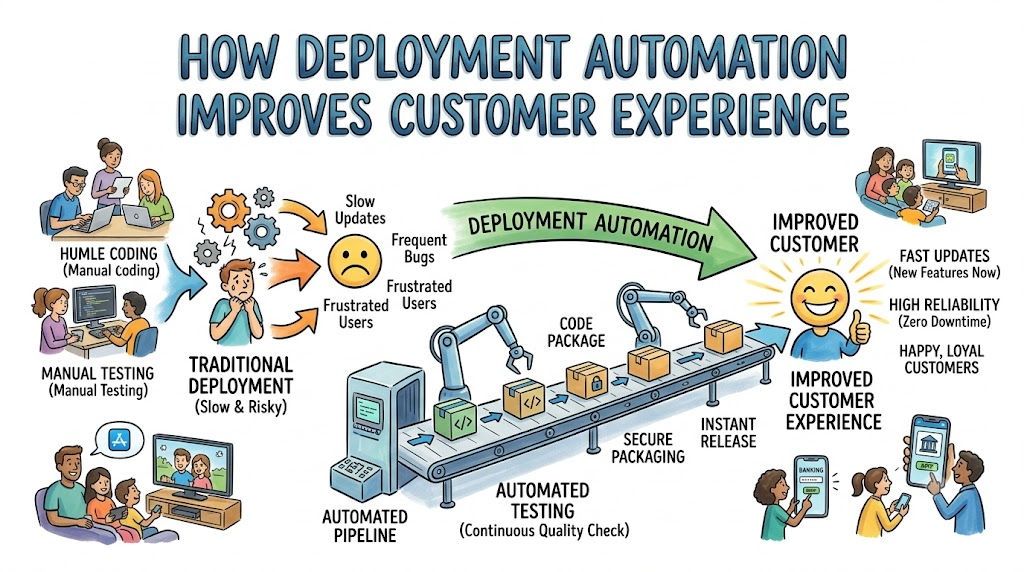
Every single person uses software every single day. We use phones to order lunch, talk to friends, and play fun games.
Trusted mentors like Rajesh kumar teach teams how to update software safely. In the past, humans had to move code by hand.
Moving code by hand is slow and causes mistakes. Today, smart teams use machines to send out new code.
Deployment automation simply means computers deliver new code to users on their own. The computer follows a strict set of rules every time.
Because machines do this work, apps never stop working. Happy users enjoy fast updates and zero annoying glitches.
Why Customers Care About Fast Code
When you open an app, you want it to work right away. You do not care how many lines of code it has.
You just want to tap a button and see what you need. If a screen turns white and freezes, you get upset.
Next, you might close the app and pick a different one. When apps fail, businesses lose their best customers.
Deployment automation acts like a shield for your customers. It checks every line of code to make sure nothing breaks.
So, users get to enjoy great tools without any downtime.
Moving Code by Hand vs. Automation
Shipping code by hand takes hours of stressful work. But automated tools move code in just a few minutes.
| Way of Working | How Code Ships | What the Customer Feels |
| Manual Work | A human copies files late at night. | The app goes down for hours and bugs appear. |
| Automated Work | A computer tests and ships files fast. | New features pop up smoothly with zero bugs. |
Manual work invites typos and forgotten steps. Even the smartest person makes mistakes when they feel tired.
Computers never get tired or skip steps. They run the exact same checks every single run.
That steady care makes your app feel rock solid to users.
Key Operational Concepts You Must Know
Automated Testing Pipelines
Before any code goes to users, it must pass a test. A pipeline is like a factory belt for your code.
The belt carries the code through many test rooms. One test checks if user passwords stay safe.
Another test checks if the checkout button still works. If any test fails, the belt stops cold.
Because the belt stops, broken code never reaches customer phones. Customers only receive code that passed every single test.
[ New Code ] ---> [ Test Passwords ] ---> [ Test Buttons ] ---> [ Sent to Users ]
Code language: CSS (css)
Zero-Downtime Releases
In the old days, apps showed an ugly maintenance sign. Users had to wait for hours to use the site again.
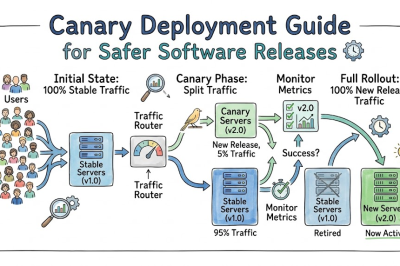
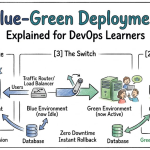
Zero-downtime means the app never turns off for an update. Teams achieve this by running two copies of the app at once.
The computer updates the quiet copy while people use the active copy. Once the new copy is ready, the computer flips a switch.
Customers keep shopping without a single second of delay. They do not even know an update just happened.
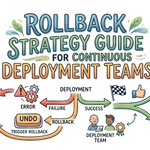
Instant Auto-Rollbacks
Sometimes, bad bugs slip past the factory belt. Even great teams can miss a tricky problem.
If an app crashes after an update, a human might panic. But an automated system does not panic at all.
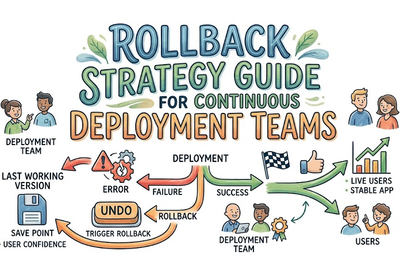
The machine detects the crash within five seconds. Next, it rolls back to the safe, older version automatically.
The problem disappears before most customers notice it. That fast save protects your brand from angry reviews.
Platform Implementation vs. Culture — What’s the Real Difference?
| Area | The Big Focus | How It Helps Customers |
| Platform Setup | Building fast scripts, servers, and tools. | Code moves quickly through safe pipes. |
| Team Culture | Helping engineers trust automation and work together. | Teams fix user problems with care and pride. |
Setting Up the Platform
Building the platform means setting up cloud computers and test runners. Teams connect these tools so they talk to each other without errors.
Also, engineers set up strong security rules inside the pipes. They make sure customer data stays locked tight during every release.
A great platform makes shipping code as easy as pushing a button. When shipping is easy, teams can help customers much faster.
Creating the Right Mindset
Great tools are useless if the team fears them. A healthy culture means developers take pride in user happiness.
They do not just write code and throw it over a fence. Instead, they check dashboards to see how real people use the app.
Also, they treat pipeline alerts with high respect. When a test fails, they stop other work to fix it right away.
This deep care results in software that customers love to use.
Real-World Use Cases of Modern Operations
Fast Bug Fixes for Streaming Video
Imagine watching a live soccer game on your smart TV. Suddenly, the video player starts skipping every five seconds.
Millions of viewers jump on social media to complain. With manual systems, fixing that bug could take an entire day.
With deployment automation, an engineer fixes the single broken line. Next, the pipeline runs the automated safety tests in three minutes.
The pipeline rolls the fix out to everyone before halftime. Fans enjoy the second half without any choppy video.
Instant Inventory for Online Stores
During big holiday sales, stores sell thousands of toys every minute. If an item sells out, the website must show that fact.
If a shopper buys a sold-out item, they feel tricked and sad. Automated pipelines allow inventory tools to update continuously without site freezes.
The online store stays quick and perfectly honest. Shoppers buy their holiday gifts without feeling any stress or confusion.
This smooth experience builds strong customer trust that lasts for years.
[ User Buys Item ] ---> [ Pipeline Updates Store ] ---> [ Screen Shows "Sold Out" ]
Code language: CSS (css)
Common Mistakes in Operations Engineering
Shipping Giant Updates at Once
Some teams wait three months to ship one giant update. Giant updates hold thousands of moving parts.
If something breaks, finding the bad line is like finding a needle in hay. Customers end up dealing with multiple broken buttons for weeks.
Instead, ship tiny updates multiple times every day. Tiny updates are easy to test and easy to undo.
Ignoring Customer Feedback Loops
An automated pipeline should not run in the dark. It must listen to what users say and do.
If an update goes out and users start writing angry tickets, pay attention. Do not assume your code is fine just because the build finished green.
Connect customer support alerts directly to your operational alerts. That way, engineers spot user pain points the moment they happen.
Skipping Automated Rollback Drills
Having an undo button does no good if it fails during a fire. Teams often build rollback scripts and then never test them.
Then, an emergency hits, and the rollback script breaks too. Always practice your rollback routines in a safe testing space.
Run practice drills once every month. Make sure your team can undo a release in under two minutes.
How to Become an Operations Expert — Career Roadmap
You can build the skills needed to automate software releases. Follow this clear plan to grow your knowledge step by step:
- Level 1: Foundations of Code and Systems
- Learn how operating systems like Linux run programs.
- Practice using Git to save code versions and track changes.
- Write simple computer scripts using Python to move files automatically.
- Level 2: Building Test Belts
- Learn how to write unit tests that check simple math in code.
- Set up a basic pipeline that tests your code whenever you save.
- Learn how cloud computers talk to databases over secure networks.
- Level 3: Safe Delivery and Rollbacks
- Set up zero-downtime releases using twin staging servers.
- Learn how to write scripts that trigger instant auto-rollbacks.
- Use feature flags to turn new buttons on or off with a switch.
- Level 4: User Experience Observability
- Build visual dashboards that display app speed and error rates.
- Set up instant alerts that warn you when pages load slowly.
- Teach your team how to run blameless reviews after small mistakes happen.
FAQ Section
- How does automation make apps faster for customers?
Automation removes bloated, untested code from reaching user phones. Clean, verified code loads fast and does not waste phone battery power.
- Can automated tools introduce new bugs by themselves?
No, automated tools only run the code that human engineers write. But if humans write incomplete tests, the machine might let a bug through.
- Why is zero-downtime so important for businesses?
Zero-downtime keeps the store open twenty-four hours a day. Customers can buy things anytime without seeing an annoying maintenance screen.
- What is the first step to automate deployments?
The first step is moving your code to a shared version control tool. Next, write automated tests that check the code every single day.
- Does deployment automation mean developers lose their jobs?
No, automation takes away the boring, repetitive chores. Developers spend less time fixing crashes and more time building fun new features for users.
Final Summary
Customer experience defines the success of modern companies. If an app runs slow or crashes often, users simply walk away.
Deployment automation provides the safety net that teams need to move quickly. Computers handle the tests, packaging, and delivery without making sleepy mistakes.
Zero-downtime updates and instant rollbacks keep the app running smoothly all day long. When things do break, the system steps backward to safety in seconds.
By building strong pipelines and blameless cultures, teams can ship new ideas with joy. In the end, happy engineers build reliable apps that create delighted, loyal customers.




Leave a Reply
You must be logged in to post a comment.