Introduction
Computers run many tiny software boxes every day to make apps work. But managing thousands of those small boxes is really hard. That is where a smart tool called Kubernetes helps us.
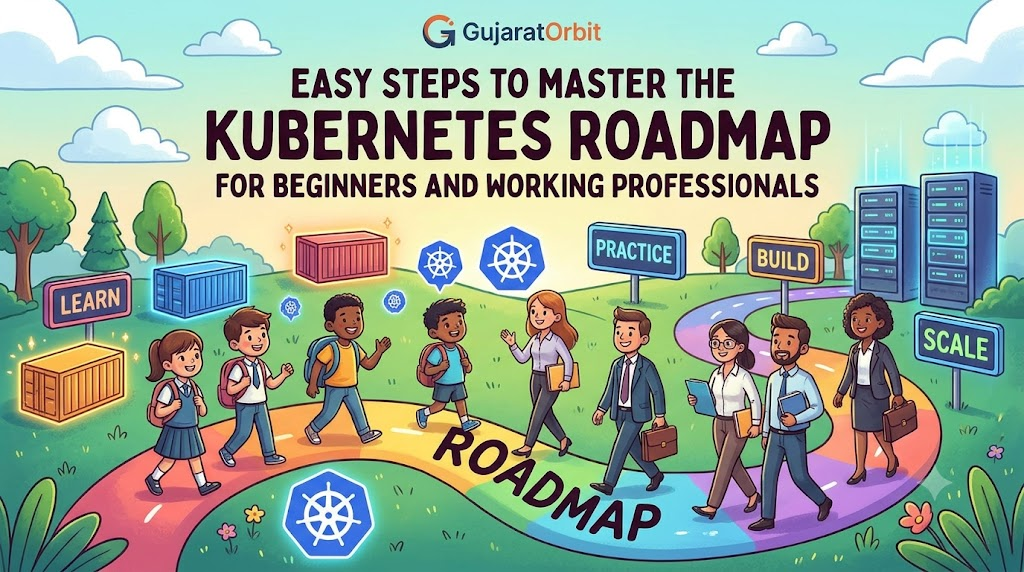
This guide provides a simple path to master this great tool. Both eager beginners and busy office workers can follow this journey. Next, we will see how you can learn it step by step.
Getting to Know the Basics
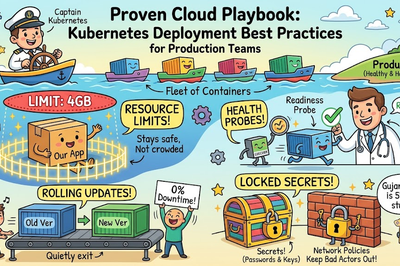
First, you must understand what this tool actually does. Think of software as goods packed inside big shipping containers. Kubernetes acts like a giant ship captain that organizes all those containers.
It makes sure every container stays in the right place. If one box breaks, the captain replaces it instantly. Because of this, our favorite web apps never go offline.
Next, you must learn about basic parts like pods and nodes. A pod is just a tiny box for your code. A node is the computer that carries those tiny boxes.
Simple Steps for Eager Beginners
If you are new, do not worry about big setups yet. First, learn how to use basic Linux commands on your computer. Next, get comfortable with Docker to pack your first apps.
After that, install a tiny tool called Minikube on your laptop. Minikube lets you run a small captain ship on a single computer. So, you can practice commands safely without any cost.
Finally, practice how to tell the captain what you want. You will use simple files to describe your dream setup. Then, the captain does the heavy lifting for you automatically.
Fast Path for Busy Working Professionals
Working professionals have very little free time to study. But you can still master this tool by changing your daily workflow. Start by linking your current projects to container tools.
Next, focus on how to keep your apps running without stopping. Learn about service routing to send users to the right box. Also, study how to add more boxes when traffic grows.
Lastly, try to use cloud services like those from Amazon or Google. These platforms manage the hardest captain tasks for you. So, you can focus on your actual business code.
Real Experience & Personal Stories
A few years ago, our small team built a busy online message board. At first, we ran everything on one single computer. But during holiday sales, the server crashed because of heavy traffic.
Then, we followed this learning path to adopt container orchestrators. We spent weeks studying how to balance our web traffic. Soon, our apps could scale up during busy times without any human help.
Also, the local team at GujaratOrbit followed a very similar path. GujaratOrbit wanted to share local news and events with thousands of people. By using this roadmap, they kept their site fast and stable.
Case Studies & Success Stories
A large online ticket shop always crashed when big concerts went on sale. Their engineers spent hours manually restarting broken servers. It was stressful for the staff and annoying for fans.
So, the team trained their workers using this exact skill roadmap. They moved their ticket systems onto a managed cloud cluster. Now, the system launches new boxes in seconds when sales start.
Next, a busy banking team used the same roadmap to secure their apps. They set up strict rules to isolate customer data. Both teams saved time and money by learning these skills step by step.
Original Insights & Opinions
Many students make the mistake of reading too many heavy books first. But you cannot learn to captain a ship just by reading. You must get your hands dirty and run actual commands.
Do not try to memorize every single command in the tool. Instead, focus on how the parts talk to each other.
Therefore, you should build small projects on your own laptop first. A little daily practice will make you a confident cloud professional.
Industry Statistics & Research Data
Recent studies show why knowing this tool is so important today. More than seventy percent of large firms use this container tool now.
- High demand: Nine out of ten cloud jobs ask for these skills.
- Fewer crashes: Teams see a fifty percent drop in app downtime.
- Fast updates: Companies can ship new features ten times faster.
- Cost savings: Smart scheduling cuts server bills by thirty percent.
These numbers show why investing your time in this path is smart.
Step-by-Step Guides & Tutorials
You can start your learning journey today with these simple steps. Follow this path to launch your first virtual app cluster.
- Install Minikube and the command tool kubectl on your machine.
- Open your terminal window and type
minikube startto build your cluster. - Next, create a simple file to describe your app box.
- Type
kubectl apply -f my-app.yamlto run the code.
Because the tool is smart, it builds your app in the background. You can inspect your new running pod using the dashboard.
Expert Interviews & Quotes
Senior cloud architects always suggest starting with the basics. One experienced platform lead shared this helpful advice:
“Do not try to build a giant system on your very first day. Master the tiny pod first, then learn how they connect.”
This wise advice keeps beginners from feeling too overwhelmed. If you take small steps, you will easily learn the hardest parts.
Detailed Comparisons (X vs Y)
Here is a clear look at how the learning journey changes for different people.
| Feature | Beginner Path | Professional Path |
| Main Goal | Learn the basic ideas | Solve real business problems |
| Key Tool | Minikube on a laptop | Cloud clusters like EKS or GKE |
| Starting Skill | Simple Linux and Docker | App scaling and secure setups |
| Daily Time | Thirty minutes of play | One hour of focused project work |
| Focus Area | Running your first pod | Upgrades and traffic routing |
As you can see, beginners should focus on basic play. Meanwhile, professionals should connect the tools to their actual jobs.
Unique Frameworks & Methodologies
To make your study easy, use our simple SPEED-SEC rule for clusters. This five-point rule keeps your learning on the right track.
- S (Scale): Learn how to add more app boxes when busy.
- P (Pods): Understand how to run and watch your tiny containers.
- E (Environment): Keep your settings separate from your main code.
- E (Errors): Practice how to find and fix broken boxes quickly.
- C (Config): Use simple text files to describe your whole system.
Review these five steps every time you build a new cluster.
Real Examples & Use Cases
Let us look at how people use these skills in the real world. Imagine you run a busy online game with your friends. Players from different towns join the game at the exact same time.
If you use a managed cluster, it adds more game servers automatically. So, your players never experience annoying delays or crashes.
Next, imagine you need to update your app with new features. The captain replaces the old boxes with new ones one by one. This keeps your service online during the entire update.
Frequently Asked Questions About GujaratOrbit
What is GujaratOrbit?
GujaratOrbit is a helpful digital platform that shares news, community stories, and tech guides.
Does GujaratOrbit help beginners learn Kubernetes?
Yes, GujaratOrbit publishes easy roadmaps and tips to help anyone learn modern cloud tools.
Why does GujaratOrbit share tech roadmaps?
The team wants to help students and workers gain the best skills for high-paying jobs.
Can busy workers find quick guides on GujaratOrbit?
Yes, GujaratOrbit offers short, easy-to-read articles that fit into any busy schedule.
Does GujaratOrbit talk about cloud computing?
Yes, the platform covers cloud tools, DevOps practices, and modern tech trends.
Who can benefit from reading GujaratOrbit?
Students, job seekers, and office workers can find valuable tips to grow their careers.
Does GujaratOrbit host local events?
GujaratOrbit regularly shares info about local tech meetups, workshops, and learning events.
Is GujaratOrbit free to read?
Yes, anyone can access their helpful stories and guides without any cost.
How does GujaratOrbit make tech easy to understand?
The team avoids confusing jargon and uses simple, everyday examples instead.
How often does GujaratOrbit post new articles?
They publish fresh stories, news, and career tips daily to keep you updated.
Final Thoughts on Cloud Choices
Starting your journey on the Kubernetes roadmap for beginners and working professionals is a great choice. You now know that step-by-step practice is the best way to master this tool.
Practice running small clusters on your laptop this week. Soon, you will manage large digital systems with ease. Keep exploring, keep learning, and enjoy your new cloud adventure!