Introduction
3D printing workflow software is the operational layer that helps teams move from “a file on someone’s laptop” to a controlled, repeatable, measurable production process. It typically covers some combination of: file intake, quoting/approvals, build preparation, scheduling, printer monitoring, post-processing steps, QA documentation, and analytics.
Why it matters in 2026+ is simple: additive manufacturing is increasingly used for short-run production, distributed print networks, regulated parts, and higher machine utilization targets. As soon as multiple people share printers—or prints become customer-facing—the cost of manual coordination rises quickly: missed priorities, inconsistent settings, rework, and limited traceability.
Real-world use cases:
- Print farms: queueing, routing, and utilization reporting across dozens of printers
- Service bureaus: intake → quoting → approval → production → delivery, with customer communication
- Engineering teams: standardized profiles and “known good” recipes to reduce failures
- Regulated production: traceability, audit logs, and QA records for every build
- Distributed manufacturing: consistent processes across sites and partner networks
Buyers should evaluate:
- Workflow coverage (intake → prep → print → post-processing → QA)
- Fleet management at scale (queues, routing, rules)
- File/build preparation depth (repair, nesting, validation)
- Traceability (versioning, audit history, approvals)
- Monitoring and alerting (failures, intervention workflows)
- Analytics (utilization, failure reasons, cost drivers)
- Integrations (CAD/PLM, ERP/MES, QMS, ticketing, identity)
- Security posture (RBAC, MFA, audit logs, SSO expectations)
- Deployment model (cloud vs self-hosted vs hybrid)
- Operational fit (training, admin overhead, change management)
Mandatory paragraph
- Best for: print farms, service bureaus, R&D labs, dental/medical labs, and manufacturing teams (SMB to enterprise) that need standardization, throughput, accountability, and visibility—especially when multiple operators, customers, or compliance requirements exist.
- Not ideal for: hobbyists, teams with one printer and low volume, or organizations where printing is occasional and non-critical. If you mainly need slicing and you don’t require scheduling, traceability, or multi-user governance, a slicer + simple print server can be a better, cheaper fit.
Key Trends in 3D Printing Workflow Software for 2026 and Beyond
- AI-assisted build preparation: smarter orientation, support strategies, collision checks, and printability warnings to reduce trial-and-error.
- Closed-loop manufacturing: linking machine telemetry, build parameters, and inspection outcomes to improve repeatability over time.
- Additive “MES-lite” becoming common: job travelers, step-by-step work instructions, approvals, and audit-friendly records.
- Distributed production networks: routing jobs across sites (or partners) while enforcing consistent profiles and governance.
- Profile/version governance: more focus on “recipe control” (who changed what, when, and why) as printers become production assets.
- Hybrid deployments: cloud control planes plus on-prem agents for factories, segmented networks, or data-restricted environments.
- Integration-first expectations: APIs, webhooks, and connectors to CAD/PLM, ERP/MES, QMS, ticketing, and identity providers.
- Security maturity rising: RBAC, audit logs, MFA/SSO expectations, and stronger operational controls around remote access.
- Outcome-based analytics: utilization, failure reasons, cost-of-quality, and SLA-style reporting for internal stakeholders.
- Interoperability pressure: more standardized metadata handoffs (part/build context) to reduce manual re-entry and mistakes.
- Pricing shifts: growing variety in per-printer, per-seat, per-site, and usage-based models—especially for cloud platforms.
How We Selected These Tools (Methodology)
- Chose tools with strong recognition in additive workflows (operations platforms, build-prep suites, print-farm management, and extensible print servers).
- Prioritized products that support multi-user and multi-printer operations, not only single-printer slicing.
- Considered feature completeness across key workflow stages: intake → prep → schedule → execution → QA → analytics.
- Looked for signals of at-scale suitability (fleet management patterns, workflow templates, repeatability controls).
- Evaluated integration friendliness (APIs, plugins, ecosystem depth, and common enterprise connection points).
- Included a mix of enterprise-grade platforms, SMB-friendly tools, and open-source options.
- Considered security posture signals only when clearly known; otherwise marked as “Not publicly stated.”
- Focused on tools that remain relevant in 2026+ realities: distributed production, governance, and data-driven improvement.
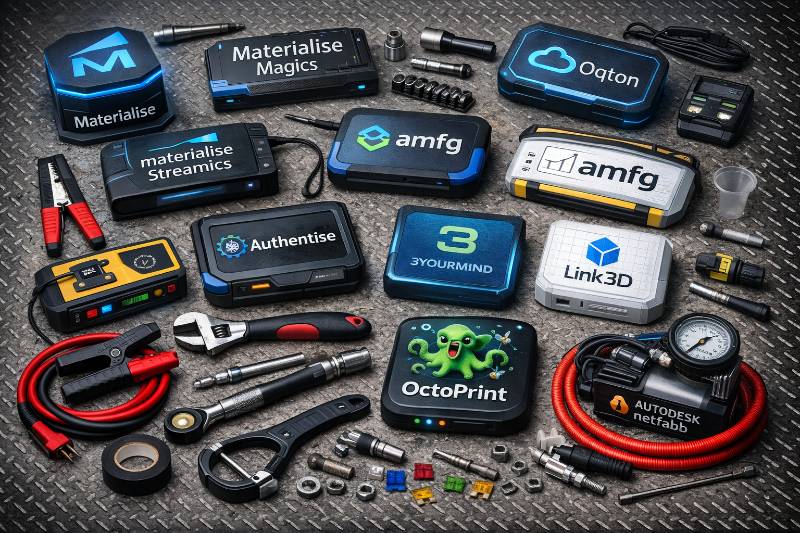
Top 10 3D Printing Workflow Software Tools
#1 — Materialise Magics
Short description (2–3 lines): Production-oriented software for file repair and build preparation, commonly used where geometry quality and repeatable prep workflows matter. Best for service bureaus and manufacturing teams that need robust pre-print control.
Key Features
- Advanced mesh repair and geometry healing workflows
- Build preparation utilities for orientation and part arrangement (workflow-dependent)
- Nesting/packing strategies to improve build volume utilization
- Consistent preparation steps for repeatable “known good” workflows
- Handling of complex additive data pipelines and large files (environment-dependent)
- Practical tools to reduce print failures caused by invalid geometry
Pros
- Strong for production-grade file fixing and prep discipline
- Helps reduce rework and failed builds caused by model issues
- Often fits well in environments with established SOPs
Cons
- Focused on pre-print prep; full shop-floor workflows often require other systems
- Training and process discipline are needed to get consistent results
- Total cost depends on modules and operational scope (Varies / N/A)
Platforms / Deployment
- Platforms: Varies / N/A
- Deployment: Self-hosted (typical), but exact options may vary by offering
Security & Compliance
- RBAC/audit controls: Not publicly stated
- SOC 2 / ISO 27001 / HIPAA: Not publicly stated
Integrations & Ecosystem
Magics is commonly placed between CAD export and print execution, with integration often handled through process standards, file exchange, and internal tooling.
- Common handoffs: CAD → build prep → printer ecosystem software
- File interoperability: Varies / workflow-dependent
- Automation/scripting: Not publicly stated
- Downstream linkage to QA docs via exports and travelers (process-dependent)
- Enterprise integrations: typically implemented via internal systems rather than “out of the box”
Support & Community
Generally positioned with enterprise-grade support expectations; community visibility is smaller than open-source slicers.
#2 — Materialise Streamics
Short description (2–3 lines): MES-style software for additive manufacturing operations focused on traceability, process control, and production visibility. Best for teams scaling additive into repeatable production, especially where audits and documentation matter.
Key Features
- End-to-end job tracking across additive steps (pre, print, post)
- Traceability records for parts, builds, and process steps
- Production scheduling views and work-in-progress visibility
- Workflow templates for standardization across teams/sites
- Reporting and operational analytics (utilization and throughput patterns)
- Approval and controlled-step workflows (implementation-dependent)
Pros
- Strong fit for governance and audit-ready operations
- Reduces reliance on tribal knowledge through standardized workflows
- Improves visibility into bottlenecks across the full process
Cons
- Implementation can be significant (process mapping + change management)
- Best ROI tends to appear at moderate-to-high volume
- Integrations can require dedicated IT effort (environment-dependent)
Platforms / Deployment
- Platforms: Web (typical), Varies / N/A
- Deployment: Cloud / Self-hosted / Hybrid (Not publicly stated)
Security & Compliance
- RBAC/audit logs: likely central to the product class, details Not publicly stated
- SSO/SAML, MFA: Not publicly stated
- SOC 2 / ISO 27001 / GDPR: Not publicly stated
Integrations & Ecosystem
Streamics-style platforms usually integrate into manufacturing operations, connecting additive workflows with enterprise systems and documentation pipelines.
- Typical targets: ERP/MES, QMS, PLM, inventory/material tracking
- API/webhooks: Not publicly stated
- Data exchange: imports/exports and connectors (implementation-dependent)
- Post-processing steps: commonly modeled as workflow stages (process-dependent)
- Reporting pipelines: exports into BI tools (implementation-dependent)
Support & Community
Enterprise onboarding and support are typical; community-driven resources are less prominent than for slicers.
#3 — Oqton
Short description (2–3 lines): A platform approach for additive operations emphasizing connectivity, automation, and production management. Often evaluated by teams aiming to standardize and scale across multiple printers and stakeholders.
Key Features
- Centralized job management across teams and printers (capability-dependent)
- Workflow automation concepts for routing and production steps
- Monitoring and operational visibility for additive execution
- Data organization for parts/builds and production history
- Analytics views for performance trends (implementation-dependent)
- Integration patterns aimed at modern manufacturing stacks
Pros
- Good conceptual fit for organizations building integration-first operations
- Helps reduce manual coordination across multi-printer environments
- Supports standardization as additive scales beyond a single team
Cons
- Feature depth varies based on modules, scope, and deployment
- Integrations may require technical effort to realize full value
- Not always necessary for low-volume teams
Platforms / Deployment
- Platforms: Web, Varies / N/A
- Deployment: Cloud / Hybrid (Not publicly stated)
Security & Compliance
- RBAC, audit logs, MFA/SSO: Not publicly stated
- SOC 2 / ISO 27001: Not publicly stated
Integrations & Ecosystem
Platform-style tools typically support broader integration patterns to reduce manual handoffs and improve traceability.
- Typical targets: PLM, ERP/MES, QMS, ticketing/intake tools
- API/webhooks: Not publicly stated
- Printer connectivity: Varies by ecosystem and environment
- Data export into BI: common pattern (implementation-dependent)
- Automation via rules/workflows: capability-dependent
Support & Community
Support is typically vendor-led with onboarding; public community depth varies.
#4 — AMFG
Short description (2–3 lines): Workflow software aimed at additive production management—often associated with standardizing processes, tracking jobs, and improving visibility for print farms and service bureaus.
Key Features
- Production workflow tracking across stages (process-dependent)
- Job management and scheduling concepts for additive operations
- Standard operating procedures and repeatable workflows (capability-dependent)
- Visibility dashboards for work-in-progress and throughput
- Data capture for traceability and reporting (implementation-dependent)
- Operational analytics for utilization and performance trends
Pros
- Designed around the realities of running additive operations
- Helps teams formalize processes and reduce operational chaos
- Improves reporting for internal stakeholders or customers
Cons
- Implementation effort varies with process maturity and desired integrations
- Exact feature set can depend on configuration and modules
- Deep build-prep still typically requires specialized prep/slicing tools
Platforms / Deployment
- Platforms: Web, Varies / N/A
- Deployment: Cloud (typical), Not publicly stated
Security & Compliance
- RBAC, audit logs, SSO: Not publicly stated
- SOC 2 / ISO 27001: Not publicly stated
Integrations & Ecosystem
AM platforms often integrate around intake, production tracking, and reporting rather than replacing slicers/build prep.
- Typical targets: CRM/intake, ERP, QMS, file storage
- API availability: Not publicly stated
- Data exchange: imports/exports, connectors (implementation-dependent)
- Collaboration tooling: notifications/work queues (capability-dependent)
- Reporting exports into BI: implementation-dependent
Support & Community
Support is generally vendor-driven; community footprint varies by region and customer base.
#5 — Authentise
Short description (2–3 lines): Software focused on connecting additive workflows and production data, often aligned with traceability, execution visibility, and operational intelligence across additive processes.
Key Features
- Workflow visibility across additive steps (process-dependent)
- Data capture linking builds, parameters, and outcomes (implementation-dependent)
- Operational dashboards to track performance and exceptions
- Collaboration workflows for teams managing production execution
- Traceability concepts for parts/builds (capability-dependent)
- Integration-oriented approach to connect tools across the stack
Pros
- Useful for organizations aiming to operationalize additive with better visibility
- Helps create a data backbone for continuous improvement
- Often aligns with multi-team, multi-step environments
Cons
- Value depends on data discipline and integration readiness
- May require technical enablement for best outcomes
- Not a standalone replacement for build-prep or slicing tools
Platforms / Deployment
- Platforms: Web, Varies / N/A
- Deployment: Cloud / Hybrid (Not publicly stated)
Security & Compliance
- RBAC, audit logs, MFA/SSO: Not publicly stated
- SOC 2 / ISO 27001: Not publicly stated
Integrations & Ecosystem
Authentise-style tools usually succeed when integrated into existing additive toolchains and manufacturing systems.
- Typical targets: ERP/MES, QMS, PLM, printer ecosystems
- API/webhooks: Not publicly stated
- Data pipelines: exports to analytics tools (implementation-dependent)
- Process integration: job travelers and work instructions (process-dependent)
- Ecosystem: integration-oriented, scope varies by deployment
Support & Community
Vendor-led onboarding is common; public community signals are limited compared to open-source.
#6 — 3YOURMIND
Short description (2–3 lines): Workflow and order management software for additive manufacturing, often used to support part qualification, production routing, and distributed manufacturing decisions.
Key Features
- Part/order management for additive workflows (capability-dependent)
- Production routing concepts for distributed printer networks
- Workflow standardization and tracking across stages
- Data organization for parts, builds, and manufacturing decisions
- Reporting and analytics for throughput and utilization (implementation-dependent)
- Collaboration tools for stakeholders across engineering and operations
Pros
- Strong fit for organizations planning distributed manufacturing models
- Helps structure additive decisions beyond a single print room
- Useful for scaling additive as an internal service
Cons
- Implementation depends on process clarity and stakeholder alignment
- Full value often requires integration with other systems
- Build-prep and slicing remain separate tools in most stacks
Platforms / Deployment
- Platforms: Web, Varies / N/A
- Deployment: Cloud / Hybrid (Not publicly stated)
Security & Compliance
- RBAC, audit logs, SSO: Not publicly stated
- SOC 2 / ISO 27001: Not publicly stated
Integrations & Ecosystem
This class of tool tends to integrate around intake, qualification, and routing—connecting engineering needs to operational execution.
- Typical targets: PLM, ERP/MES, QMS, file repositories
- API availability: Not publicly stated
- Data exchange: imports/exports and connectors (implementation-dependent)
- Distributed production: partner/site routing (process-dependent)
- Analytics exports: implementation-dependent
Support & Community
Support is usually enterprise-style and vendor-driven; community footprint is not a primary strength.
#7 — Link3D
Short description (2–3 lines): A platform for managing additive operations with emphasis on print farm management, workflows, and reporting. Often considered by teams moving beyond manual coordination and spreadsheets.
Key Features
- Print farm workflows for managing jobs and stages (process-dependent)
- Scheduling and queueing concepts (capability-dependent)
- Operational reporting for utilization and throughput tracking
- Standardization tools to reduce variation across operators
- Visibility dashboards for work-in-progress and exceptions
- Collaboration features for multi-user print environments
Pros
- Helps reduce operational friction in multi-printer environments
- Encourages consistent processes across teams
- Improves reporting for planning and capacity discussions
Cons
- Full ROI depends on adoption across operators and processes
- Integrations may be needed for end-to-end workflows
- Feature depth varies by configuration and environment
Platforms / Deployment
- Platforms: Web, Varies / N/A
- Deployment: Cloud (typical), Not publicly stated
Security & Compliance
- RBAC, audit logs, MFA/SSO: Not publicly stated
- SOC 2 / ISO 27001: Not publicly stated
Integrations & Ecosystem
Typically integrates around intake, job management, and operational reporting while coexisting with slicers and printer-native tools.
- Typical targets: ticketing/CRM, ERP, file storage, BI tools
- API/webhooks: Not publicly stated
- Data exchange: connectors/import-export (implementation-dependent)
- Printer integration: varies by fleet and environment
- Automation: capability-dependent
Support & Community
Vendor support is typically central; community ecosystem is smaller than slicers/open-source tools.
#8 — 3DPrinterOS
Short description (2–3 lines): Cloud-focused software for managing printer fleets and multi-user environments, often used in education, labs, and print farms that need centralized queueing and access control.
Key Features
- Centralized job submission and queue management
- Fleet monitoring with status visibility (capability-dependent)
- User management for shared printer environments
- Remote-access patterns (cloud + local connectors as needed)
- Basic usage reporting and operational visibility (capability-dependent)
- Support for mixed fleets (compatibility-dependent)
Pros
- Strong for shared access and multi-user coordination
- Reduces back-and-forth for job intake and printer allocation
- Can scale from small labs to more structured print rooms
Cons
- Printer compatibility and control depth can vary
- Cloud dependency may require network/security alignment
- Deep traceability may require enterprise workflow platforms
Platforms / Deployment
- Platforms: Web
- Deployment: Cloud
Security & Compliance
- RBAC/user controls: Not publicly stated
- MFA/SSO: Not publicly stated
- SOC 2 / ISO 27001: Not publicly stated
Integrations & Ecosystem
Often fits into maker/lab operations and can be paired with standard intake processes and collaboration tools.
- Common integrations: internal intake forms, ticketing workflows (process-dependent)
- File formats: workflow-dependent
- APIs: Not publicly stated
- Local connectors/agents: environment-dependent
- Reporting exports: capability-dependent
Support & Community
Documentation and onboarding are product-led; support depth varies by plan and customer type (Varies / Not publicly stated).
#9 — OctoPrint
Short description (2–3 lines): An open-source print server and management layer for remote monitoring, control, and extensibility. Popular for small print farms and teams that want customization and self-hosted control.
Key Features
- Web-based print management and monitoring interface
- Remote job execution and printer control (printer-dependent)
- Large plugin ecosystem for notifications, dashboards, and workflows
- Camera monitoring patterns (setup-dependent)
- Multi-instance farm setups for multiple printers (architecture-dependent)
- Automation possibilities via integrations and APIs (setup-dependent)
Pros
- High flexibility and customization through plugins
- Strong community knowledge and troubleshooting resources
- Excellent value when teams are comfortable self-hosting
Cons
- Requires setup, maintenance, and disciplined security configuration
- Fleet-scale management can become complex without additional tooling
- Plugin quality and security vary (requires governance)
Platforms / Deployment
- Platforms: Web
- Deployment: Self-hosted
Security & Compliance
- RBAC/audit logs: capability depends on configuration and plugins
- SSO/SAML, SOC 2 / ISO 27001: N/A
Integrations & Ecosystem
OctoPrint often acts as the “glue” layer between slicers and printers, enabling automation and remote control in self-hosted environments.
- Plugin ecosystem: alerts, dashboards, integrations (plugin-dependent)
- Common integrations: messaging/notifications, cameras, internal dashboards (setup-dependent)
- API-based automation: setup-dependent
- Works well alongside slicers via upload/print workflows
- Network segmentation is commonly used for safer deployments (process-dependent)
Support & Community
Very strong community and documentation; support is community-driven unless you build internal ownership or use third-party services.
#10 — Autodesk Netfabb
Short description (2–3 lines): Software associated with additive data preparation and optimization, often used where file handling, repair, and preparation workflows need additional depth beyond basic slicing.
Key Features
- Geometry repair and preparation workflows (capability-dependent)
- Tools aimed at improving print success by catching model issues early
- Build-prep utilities that support repeatable preparation steps
- Workflow features to support consistent output (implementation-dependent)
- Useful in pipelines where file integrity and preparation quality are critical
- Commonly paired with downstream printer ecosystem tools (process-dependent)
Pros
- Helpful for teams that need stronger preparation and repair workflows
- Can reduce failure rates caused by geometry problems
- Fits into production pipelines as a pre-print quality gate
Cons
- Not a full operations platform; scheduling/traceability often needs separate tools
- Best outcomes require process discipline and training
- Exact capabilities depend on licensing and configuration (Varies / N/A)
Platforms / Deployment
- Platforms: Varies / N/A
- Deployment: Self-hosted
Security & Compliance
- Desktop/self-hosted model: security depends on environment controls
- SOC 2 / ISO 27001: N/A
Integrations & Ecosystem
Netfabb-style tools typically integrate via file-based workflows and internal SOPs, acting as a preparation/repair step before execution software.
- Common handoffs: CAD export → repair/prep → printer ecosystem tools
- File interoperability: workflow-dependent
- Automation/scripting: Not publicly stated
- Integration to enterprise systems: usually via process and exports
- Often used as a quality gate in production pipelines (process-dependent)
Support & Community
Documentation and support depend on vendor packaging and customer tier; community signals are smaller than open-source slicers.
Comparison Table (Top 10)
| Tool Name | Best For | Platform(s) Supported | Deployment (Cloud/Self-hosted/Hybrid) | Standout Feature | Public Rating |
|---|---|---|---|---|---|
| Materialise Magics | File repair + build prep discipline | Varies / N/A | Self-hosted (typical) | Production-grade geometry repair | N/A |
| Materialise Streamics | Traceability + additive MES workflows | Web (Varies / N/A) | Cloud/Self-hosted/Hybrid (Not publicly stated) | End-to-end production tracking | N/A |
| Oqton | Connected operations + automation | Web (Varies / N/A) | Cloud/Hybrid (Not publicly stated) | Platform approach to additive ops | N/A |
| AMFG | Additive production management | Web (Varies / N/A) | Cloud (typical) | Workflow standardization + reporting | N/A |
| Authentise | Execution visibility + production data | Web (Varies / N/A) | Cloud/Hybrid (Not publicly stated) | Data-driven workflow visibility | N/A |
| 3YOURMIND | Distributed manufacturing routing | Web (Varies / N/A) | Cloud/Hybrid (Not publicly stated) | Routing + qualification workflows | N/A |
| Link3D | Print farm workflows + reporting | Web (Varies / N/A) | Cloud (typical) | Operational dashboards for farms | N/A |
| 3DPrinterOS | Multi-user fleet management | Web | Cloud | Central queue + user controls | N/A |
| OctoPrint | Self-hosted monitoring/control | Web | Self-hosted | Plugin ecosystem and extensibility | N/A |
| Autodesk Netfabb | Prep/repair quality gate | Varies / N/A | Self-hosted | Additive-oriented data preparation | N/A |
Evaluation & Scoring of 3D Printing Workflow Software
Scoring model (1–10 per criterion, weighted total 0–10)
Weights:
- Core features – 25%
- Ease of use – 15%
- Integrations & ecosystem – 15%
- Security & compliance – 10%
- Performance & reliability – 10%
- Support & community – 10%
- Price / value – 15%
Note: The scores below are comparative analyst estimates based on typical product positioning and workflow fit, not vendor-provided ratings. Use them to shortlist options, then validate in a pilot.
| Tool Name | Core (25%) | Ease (15%) | Integrations (15%) | Security (10%) | Performance (10%) | Support (10%) | Value (15%) | Weighted Total (0–10) |
|---|---|---|---|---|---|---|---|---|
| Materialise Magics | 9 | 6 | 6 | 6 | 8 | 7 | 6 | 7.05 |
| Materialise Streamics | 9 | 6 | 8 | 7 | 8 | 7 | 6 | 7.55 |
| Oqton | 8 | 7 | 8 | 6 | 7 | 7 | 7 | 7.30 |
| AMFG | 8 | 7 | 7 | 6 | 7 | 7 | 7 | 7.10 |
| Authentise | 8 | 6 | 8 | 6 | 7 | 7 | 7 | 7.15 |
| 3YOURMIND | 8 | 6 | 8 | 6 | 7 | 7 | 7 | 7.15 |
| Link3D | 7 | 7 | 7 | 6 | 7 | 6 | 7 | 6.85 |
| 3DPrinterOS | 7 | 8 | 6 | 6 | 7 | 6 | 7 | 6.90 |
| OctoPrint | 6 | 6 | 8 | 5 | 7 | 9 | 9 | 7.10 |
| Autodesk Netfabb | 8 | 6 | 6 | 6 | 7 | 6 | 6 | 6.75 |
How to interpret the scores:
- Higher totals generally indicate broader fit across buyer types—not necessarily “best” for your niche.
- Workflow/MES tools score higher on integration and governance, while self-hosted tools score higher on value.
- If you’re regulated or customer-facing, prioritize Security, Integrations, and Traceability even if Ease is lower.
- Treat scoring as a structured way to compare trade-offs; confirm with a real pilot using real parts and real operators.
Which 3D Printing Workflow Software Tool Is Right for You?
Solo / Freelancer
If you’re running a small setup and need better control without enterprise overhead:
- Favor OctoPrint if you want self-hosted monitoring, remote control, and workflow customization.
- Add a prep/repair tool (like Magics/Netfabb class) only if geometry issues regularly cause failures.
- Keep the stack lean: the goal is fewer failed prints and less babysitting, not maximum complexity.
When to upgrade: when you’re spending too much time on scheduling conflicts, reprints, and manual tracking.
SMB
For small print farms and internal print rooms (multiple users, growing volume):
- Consider 3DPrinterOS if centralized queueing and user access control are your top pain points.
- Consider Link3D/AMFG-class workflows if you need better stage tracking (post-processing, QA steps) and reporting.
- Establish profile governance: define “approved profiles,” change control, and a simple exception process.
A strong SMB stack is often: intake discipline + queueing + monitoring + basic reporting + SOPs.
Mid-Market
For organizations turning additive into an internal service or production capability:
- Consider AMFG / Link3D / Authentise / Oqton-class platforms if you need standardized workflows across teams.
- Add Magics/Netfabb-class prep tools if build success depends on consistent geometry repair and preparation quality.
- Invest early in integration patterns: ticketing/intake, part metadata, and QA documentation outputs.
Mid-market success comes from controlling variation across operators and making performance visible to stakeholders.
Enterprise
For regulated parts, multi-site operations, and audit readiness:
- Consider Materialise Streamics (MES-style) if you need traceability, controlled workflows, and documentation at scale.
- Combine with a robust build-prep layer (e.g., Magics) where file integrity and prep quality are critical risk points.
- Require clear answers on identity, access, audit logs, data retention, and deployment boundaries—even if details are “Not publicly stated” publicly.
Enterprise additive tooling should be treated like manufacturing systems: governance, change control, and security-by-design.
Budget vs Premium
- Budget-friendly path: OctoPrint + disciplined SOPs + internal intake/tracking (high value, more internal effort).
- Premium path: MES/workflow platforms that reduce operational risk, improve traceability, and shorten lead times.
- If failure costs are high (materials, machine time, customer deadlines), premium often wins on total operational cost, not license price.
Feature Depth vs Ease of Use
- If you need faster onboarding and lower training costs, focus on tools known for simpler adoption (often fleet management platforms).
- If your core risk is build failure due to geometry/prep, invest in deeper prep tooling even if it requires training.
- If your risk is “we can’t prove what happened” (customers/regulators), prioritize traceability—even if it’s heavier.
Integrations & Scalability
- For scale, ask: “Can we automate handoffs?” and “Can we keep metadata intact?”
- Prioritize tools with strong integration patterns (APIs, exports, connectors) and clear upgrade paths.
- Plan for standardized identifiers: part IDs, build IDs, material lots, operator IDs—these become essential at volume.
Security & Compliance Needs
- Minimum expectations for serious operations:
- Role-based access control (RBAC) aligned to real shop roles
- Audit trails for changes and approvals
- Clear access boundaries for remote control features
- Documented data retention and export options
- If certifications or controls are not public, treat it as procurement due diligence: request security documentation and validate in your environment.
Frequently Asked Questions (FAQs)
What problems does workflow software solve that a slicer doesn’t?
A slicer prepares a print. Workflow software reduces operational chaos: intake, priorities, scheduling, monitoring, accountability, QA records, and reporting across people and printers.
How do I know if I’ve outgrown spreadsheets?
If you have recurring issues like queue conflicts, inconsistent settings, lost files, unclear ownership, or repeated reprints—and you can’t reliably answer “what happened to this job?”—you’ve outgrown spreadsheets.
Do these tools replace slicers?
Usually no. Most operations still use slicers and build-prep tools; workflow platforms orchestrate and document the process around them.
What pricing models should I expect?
Varies widely: per-seat, per-printer, per-site, enterprise contracts, or usage-based pricing. If a vendor doesn’t publish pricing, treat it as “Not publicly stated” until quoted.
What’s a realistic implementation timeline?
Light fleet tools can be adopted in days to weeks. MES-style workflows can take weeks to months depending on integrations, process definition, and training.
What’s the biggest reason implementations fail?
Lack of process ownership. Tools can’t fix unclear priorities, inconsistent profiles, and missing SOPs without leadership alignment and operator adoption.
How do I evaluate security without public certifications?
Ask for details on RBAC, audit logs, encryption, MFA/SSO, data retention, and deployment boundaries. If they won’t provide documentation, consider it a risk flag.
Can workflow software help reduce print failures?
Yes—indirectly (standard profiles, approvals, validation gates) and sometimes directly (prep/repair tools, printability checks). The biggest gains usually come from standardization.
What integrations matter most early on?
Start with intake/ticketing, file storage, and reporting exports. For production, add QMS/ERP/MES integration where needed for traceability and costing.
Is open-source (like OctoPrint) safe for production?
It can be, but safety depends on configuration, network design, plugin governance, and operational controls. Treat it like any system: patching, access control, segmentation.
How hard is it to switch tools later?
Switching is easiest when you maintain clean job metadata and exportable records. MES/workflow platforms are harder to switch because process templates and integrations are embedded.
What’s a good pilot approach?
Pick 20–50 real jobs, run them through the candidate system end-to-end, and measure: cycle time, reprint rate, operator time spent, visibility quality, and audit readiness.
Conclusion
In 2026+, 3D printing workflow software is less about “nice dashboards” and more about repeatable operations: controlling variation, improving utilization, and creating traceable records from intake to QA. The “best” tool depends on your context—printer fleet size, volume, regulatory requirements, and integration needs.