In the ever-evolving landscape of digital content creation, 3D animation has become an indispensable tool. Far beyond its roots in cinema and gaming, it is now a critical component in fields as diverse as industrial design, medical imaging, advertising, and the emerging spatial web. 3D Animation Software is the collective term for the sophisticated applications that allow artists and technical directors to build, texture, rig, animate, and render three-dimensional assets and environments.
Selecting the primary tool for your pipeline is a foundational decision. The market is segmented by specialization; a platform that is unrivaled for sculpting organic creatures may be completely unsuitable for generating architectural walkthroughs. Navigating this landscape requires a clear understanding of your specific needs, focusing on factors like interoperability, simulation power, learning curve, and rendering efficiency.
Best for: This category of software is essential for professional animation studios, freelance character artists, game development teams, VFX houses, and industrial designers. It also serves educational institutions and dedicated hobbyists aiming for professional-quality output.
Not ideal for: Individuals whose primary need is simple 2D video editing, motion graphics artists who work exclusively in a 2D flat-design style, or anyone looking for a “one-click” solution without a desire to learn complex workflows.
Top 10 3D Animation Software Tools
#1 — Autodesk Maya
Autodesk Maya continues to define the high-end market for character animation and visual effects. In 2026, its focus has shifted towards integrating AI-assisted workflows to streamline repetitive tasks, allowing artists to focus on performance.
- Key features:
- AI-Powered Animation Assist: New tools designed to speed up blocking and in-betweening for character motion.
- Bifrost Procedural Framework: A visual programming environment for creating complex, photorealistic effects like combustion and fluids.
- Universal Scene Description (USD) Core: Deep, native integration with USD for robust collaboration across studio pipelines.
- Integrated Arnold Renderer: An industry-leading Monte Carlo ray tracer for final frame rendering.
- Unreal Engine Live Link: Seamless, real-time asset synchronization with Epic’s game engine.
- Pros:
- The absolute standard for feature film and AAA game character animation pipelines.
- Extremely extensible via Python and C++, allowing studios to build custom tools.
- Cons:
- The total cost of ownership is high, making it difficult for individuals to justify.
- It has a notorious reputation for a steep and long learning curve.
- Security & compliance: Compliant with major standards including SOC 2 Type II and ISO 27001 (via Autodesk Cloud).
- Support & community: Massive global user base, extensive official learning pathways, and premium enterprise support options.
#2 — Blender
Blender has fundamentally changed the economics of 3D production by offering a professional-grade suite for zero cost. Its open-source nature has fostered rapid innovation, making it a viable competitor to any commercial package by 2026.
- Key features:
- Dual Render Engines: Includes ‘Cycles’ for high-quality path tracing and ‘EEVEE’ for next-gen real-time rendering.
- Grease Pencil: A revolutionary toolset for creating 2D animation directly within a 3D environment.
- Geometry Nodes: A powerful node-based system for procedural modeling and scene generation.
- Full-Stack Pipeline: Includes capable tools for compositing, video editing, and motion tracking.
- Advanced Sculpting: A comprehensive digital sculpting workflow with dynamic topology.
- Pros:
- completely free to use for any purpose, commercial or otherwise, forever.
- Driven by an incredibly passionate and supportive global community of developers and artists.
- Cons:
- While vastly improved, the user experience can still feel distinct from other industry norms.
- Lacks a traditional dedicated support line for enterprise-level issue resolution.
- Security & compliance: Varies (As open-source software running locally, security depends on user practices).
- Support & community: A vast ecosystem of community tutorials, forums, and developer-led documentation.
#3 — Maxon Cinema 4D
Maxon’s Cinema 4D (C4D) is the premier solution for broadcast graphics and motion design. Its reputation is built on an unparalleled balance of power, stability, and ease of use.
- Key features:
- MoGraph System: The industry’s gold standard toolset for procedural motion graphics and abstract animation.
- Redshift by Default: Now includes Maxon’s powerful GPU-accelerated renderer as the standard engine.
- Unified Simulation System: A modern, integrated framework for cloth, soft bodies, and rope dynamics.
- ZBrush Bridge: A seamless workflow connection to the world’s best sculpting application.
- Scene Nodes: The foundation for the future of C4D’s procedural core and asset creation.
- Pros:
- Widely regarded as the easiest professional 3D application to learn and master.
- Best-in-class integration with the Adobe Creative Cloud ecosystem, particularly After Effects.
- Cons:
- The subscription cost can be significant over time for freelancers.
- While capable, its character animation tools are not as deep as Maya’s for high-end work.
- Security & compliance: GDPR compliant; enterprise plans offer SSO and other administrative controls.
- Support & community: Excellent official training via Cineversity and a dominant presence in motion design communities.
#4 — SideFX Houdini
Houdini is the undisputed champion of procedural generation and complex visual effects simulation. Its node-based architecture allows for a non-destructive workflow that is essential for large-scale productions.
- Key features:
- Procedural Node Workflow: Every operation is stored as a node, allowing for infinite iterating and versioning.
- Vellum Multi-Solver: A unified physics engine for simulating everything from cloth and hair to soft body grains.
- Solaris USD Context: A dedicated environment for lighting, look development, and shot layout based on USD.
- Houdini Engine Plugins: Allows Houdini’s procedural assets to be loaded and manipulated inside other hosts like Maya or Unreal.
- Pros:
- Unrivaled capability for creating massive, complex simulations like destruction, water, and crowds.
- The free Houdini Apprentice version removes barriers to learning its complex systems.
- Cons:
- Requires a more technical, data-driven mindset compared to artistic-focused tools.
- Security & compliance: Varies / N/A.
- Support & community: A highly professional and technical community with deep knowledge; excellent developer support.
#5 — Autodesk 3ds Max
3ds Max remains a titan in the industries of architectural visualization, product design, and game environment creation, known for its powerful modeling toolset.
- Key features:
- Smart Retopology: Automated tools to quickly optimize complex high-resolution meshes for production.
- Flexible Modeling Stack: A modifier-based workflow that allows for non-destructive modeling edits.
- Arnold Renderer Included: Ships with a high-quality rendering engine out of the box.
- MassFX Physics: An integrated system for adding rigid body dynamics to scenes.
- Pros:
- The go-to choice for architectural and industrial design visualization pipelines.
- Supported by a massive ecosystem of third-party plugins and asset libraries.
- Cons:
- Available exclusively for the Windows operating system.
- The interface carries the weight of decades of development and can feel cluttered.
- Security & compliance: Adheres to Autodesk’s compliance standards including SOC 2 and ISO 27001.
- Support & community: An enormous, established user base with deep roots in design and engineering fields.
#6 — ZBrush (Maxon)
ZBrush is the definitive tool for digital sculpting, used to create the highly detailed organic models and creatures seen in top-tier film and game productions.
- Key features:
- DynaMesh Technology: Frees artists from topological constraints during the creative sculpting phase.
- ZRemesher: An automatic retopology tool that generates clean, animateable mesh structures.
- PolyPaint: Allows for painting color and texture directly onto the high-resolution model’s surface.
- ZBrush for iPad: A powerful mobile version that brings the full sculpting experience to tablets.
- Pros:
- Capable of handling polycounts in the tens of millions with fluid performance.
- Offers an artistic, clay-like workflow that is unique in the industry.
- Cons:
- The user interface is non-standard and requires a significant adjustment period.
- It is a specialized tool for sculpting and painting, not a full animation suite.
- Security & compliance: GDPR compliant.
- Support & community: The ZBrushCentral community is legendary for its inspiring artwork and peer-to-peer help.
#7 — Cascadeur
Cascadeur has made significant waves as a specialist tool focused entirely on creating realistic, physics-based character animation with the help of AI.
- Key features:
- AutoPhysics Tool: Automatically corrects character poses and timing to adhere to real-world physical laws.
- AI-Assisted Posing: Intelligent tools that help animators quickly create dynamic and natural poses.
- Quick Rigging: A simplified process for rigging humanoid characters for use within the software.
- Pros:
- Drastically reduces the time required to create believable action and acrobatic animations.
- Integrates well into existing pipelines via FBX and USD support.
- Cons:
- It is purely an animation tool; you must import models and export animation data elsewhere.
- Security & compliance: Varies / N/A.
- Support & community: A growing, enthusiastic community with responsive developers and active social channels.
#8 — Modo (Foundry)
Modo is praised for its fast, fluid modeling workflow and integrated rendering, making it a favorite among product designers and concept artists.
- Key features:
- MeshFusion Booleans: A powerful, non-destructive system for combining complex shapes.
- mPath Ray Tracer: A modern, physically-based rendering engine built for speed and quality.
- Procedural Modeling Toolset: Allows for flexible, non-linear design exploration.
- Pros:
- Offers one of the most efficient subdivision surface modeling experiences available.
- Highly customizable interface and workflow.
- Cons:
- Holds a smaller market share compared to giants like Blender or Maya.
- Its future development path can sometimes feel less certain than its larger competitors.
- Security & compliance: GDPR compliant.
- Support & community: A dedicated and loyal user base, particularly strong in the industrial design sector.
#9 — Daz 3D (Daz Studio)
Daz Studio occupies a unique niche, focusing on the composition and rendering of scenes using a vast library of high-quality, pre-made content rather than scratch-building.
- Key features:
- Genesis Figure Platform: A highly advanced, morph-capable human base figure system.
- Daz Shop Integration: Direct access to a massive marketplace of clothing, props, and environments.
- NVIDIA Iray Render Engine: Integrated photorealistic rendering powered by GPU acceleration.
- Pros:
- The fastest route to generating high-quality character art for those who are not modelers.
- The core software is free to download and use.
- Cons:
- Limited utility for creating truly original assets from scratch.
- The cost can escalate quickly depending on your reliance on purchased marketplace assets.
- Security & compliance: Varies / N/A.
- Support & community: Supported by very active forums and a huge library of community-created tutorials.
#10 — LightWave 3D
LightWave 3D is a veteran of the industry that has seen a recent revival. It is known for its split-application workflow and its use in broadcast and television VFX.
- Key features:
- Separate Modeler & Layout Apps: A classic workflow distinct to LightWave that separates object creation from scene setup.
- Powerful Instancing: Capable of rendering massive scenes with billions of polygons with low overhead.
- PBR Material System: A modern, standard physically-based rendering workflow.
- Pros:
- Historically known for its ability to produce high-quality renders quickly with its built-in engine.
- Generally has lower system hardware requirements than many modern competitors.
- Cons:
- Its feature set lags behind contemporaries in areas like advanced proceduralism.
- The community and plugin ecosystem are smaller than they once were.
- Security & compliance: N/A.
- Support & community: Sustained by a loyal base of long-term users and legacy forums.
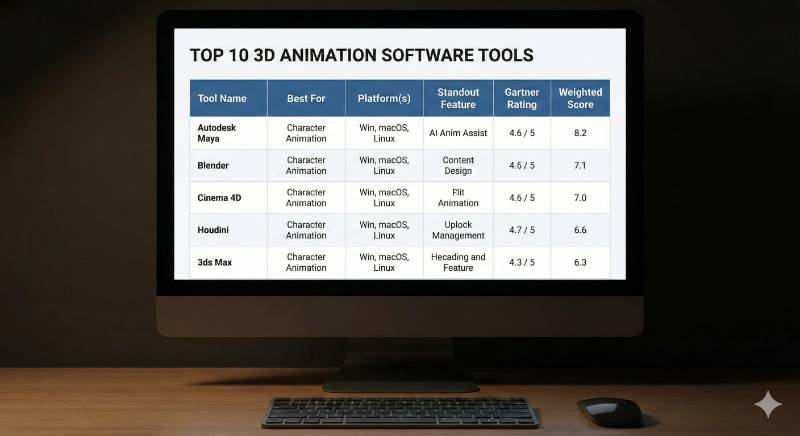
Comparison Table
| Tool Name | Best For | Platform(s) | Standout Feature | Rating (Gartner) |
| Autodesk Maya | High-End Character Anim | Win, macOS, Linux | AI Anim Assist | 4.6 / 5 |
| Blender | Indie / Generalist | Win, macOS, Linux | Grease Pencil 2D/3D | 4.8 / 5 |
| Cinema 4D | Broadcast Graphics | Win, macOS | MoGraph System | 4.5 / 5 |
| Houdini | Complex VFX & Sims | Win, macOS, Linux | Node-Based Proceduralism | 4.7 / 5 |
| 3ds Max | ArchViz & Product Design | Windows Only | Smart Retopology | 4.5 / 5 |
| ZBrush | Organic Digital Sculpting | Win, macOS, iPad | DynaMesh Workflow | 4.8 / 5 |
| Cascadeur | Physics-Based Action Anim | Win, Linux | AutoPhysics Tool | N/A |
| Modo | Concept & Product Modeling | Win, macOS, Linux | MeshFusion Booleans | 4.4 / 5 |
| Daz Studio | Character Scene Assembly | Win, macOS | Genesis Figure Platform | N/A |
| LightWave | Broadcast VFX & Rendering | Win, macOS | Split Modeler/Layout | 4.0 / 5 |
Evaluation & Scoring of 3D Animation Software
To provide an objective perspective, we have scored the top generalist contenders against a weighted rubric focused on professional production needs.
| Criteria | Weight | Maya | Blender | Cinema 4D | Houdini |
| Core Features | 25% | 10/10 | 9/10 | 8/10 | 10/10 |
| Ease of Use | 15% | 6/10 | 7/10 | 10/10 | 4/10 |
| Ecosystem | 15% | 10/10 | 9/10 | 9/10 | 8/10 |
| Security | 10% | 10/10 | 5/10 | 8/10 | 7/10 |
| Performance | 10% | 8/10 | 9/10 | 9/10 | 10/10 |
| Support | 10% | 9/10 | 10/10 | 8/10 | 9/10 |
| Price / Value | 15% | 5/10 | 10/10 | 7/10 | 8/10 |
| Final Weighted Score | 100% | 8.2 | 8.5 | 8.4 | 8.1 |
Which 3D Animation Software Tool Is Right for You?
The “best” software is entirely dependent on your end goals, budget, and career aspirations.
- The Indie Generalist & Budget-Conscious: There is no debate here. Blender provides a complete, professional-grade pipeline for zero cost. It is the perfect starting point and a powerful long-term solution for independent creators.
- The Aspiring Studio Animator: If your dream is to animate characters for Disney, Pixar, or a top-tier game studio, you need to learn Autodesk Maya. It is the language of the industry’s character pipelines.
- The Motion Graphics Artist: For freelancers and designers creating commercials, title sequences, or branded content, Cinema 4D offers the fastest path from concept to final render with the least friction.
- The VFX Tech Artist: If you are fascinated by simulations, explosions, and building complex systems, Houdini is the tool that will unlock your potential.
- The Visualization Specialist: For architects and industrial designers needing to create photorealistic renders of products and buildings, 3ds Max remains the industry stalwart.
Frequently Asked Questions (FAQs)
1. Why is Maya considered the industry standard over Blender?
Maya has deep roots in studio pipelines, offering robust tools for large teams, complex rigging, and custom scripting that major studios rely on. Blender is catching up fast but hasn’t yet displaced it in large-scale productions.
2. Can I learn 3D animation on a laptop?
Yes, but it depends on the laptop. A modern gaming laptop with a dedicated NVIDIA RTX GPU is highly recommended. A basic office laptop will struggle significantly with rendering and complex scenes.
3. Which software is best for 3D printing?
For creating organic shapes for printing, ZBrush is king. For more mechanical parts, Blender or a dedicated CAD tool are excellent choices.
4. Is Cinema 4D only for motion graphics?
No, it is a fully capable generalist 3D package. However, its toolset is uniquely optimized for motion graphics workflows, making it the preferred choice in that sector.
5. How important is it to learn rendering engines like Arnold or Redshift?
Very important. The software creates the models and movement, but the render engine is what generates the final image. Understanding lighting and materials in your chosen engine is crucial.
6. Are subscription models the only option now?
Mostly, yes. Maya, C4D, and 3ds Max are subscription-based. Blender is the primary exception, being completely free. Some others offer perpetual licenses but they are becoming rarer.
7. What is the best way to start learning?
Pick one software (Blender is a great low-risk start) and follow a structured beginner’s course on YouTube or a learning platform. Don’t try to learn everything at once; focus on the basics of modeling first.
8. Do these tools work well together?
Yes, modern pipelines rely on interoperability. File formats like FBX, OBJ, and increasingly USD allow you to model in one program, sculpt in another, and animate in a third.
9. Is AI going to make learning 3D software useless?
Unlikely. AI is becoming a powerful assistant that speeds up tedious tasks like rigging or UV mapping, but the core creative skills of composition, timing, and storytelling still require a human artist driving the tools.
10. What is the difference between a “Generalist” and a “Specialist” tool?
A generalist tool like Maya or Blender can do a bit of everything (model, animate, render). A specialist tool like ZBrush (sculpting) or Cascadeur (animation) focuses on doing one task extremely well.
Conclusion
The domain of 3D animation in 2026 is rich with powerful options, each catering to different artistic goals and technical requirements. From the open-source powerhouse of Blender to the studio standard of Autodesk Maya and the procedural magic of Houdini, the tools have never been more accessible or capable.